TuTrail records the trail, exactly as you walked it. It is a GPS track recorder for hiking, trail running, cycling and walking — it logs where you went, how much you climbed and how long you were actually moving, then it stays out of the way. No account, no ads, no analytics. Your tracks stay on your phone.
Recording
Four activities, each with its own pace and calorie model. Live distance, moving time, speed, altitude and elevation gain update as you move. Auto-pause stops the clock when you stop, and resumes when you set off again. Recording keeps running with the screen off or the app in the background — and if iOS closes it mid-hike, the unfinished recording is offered back on the next launch.
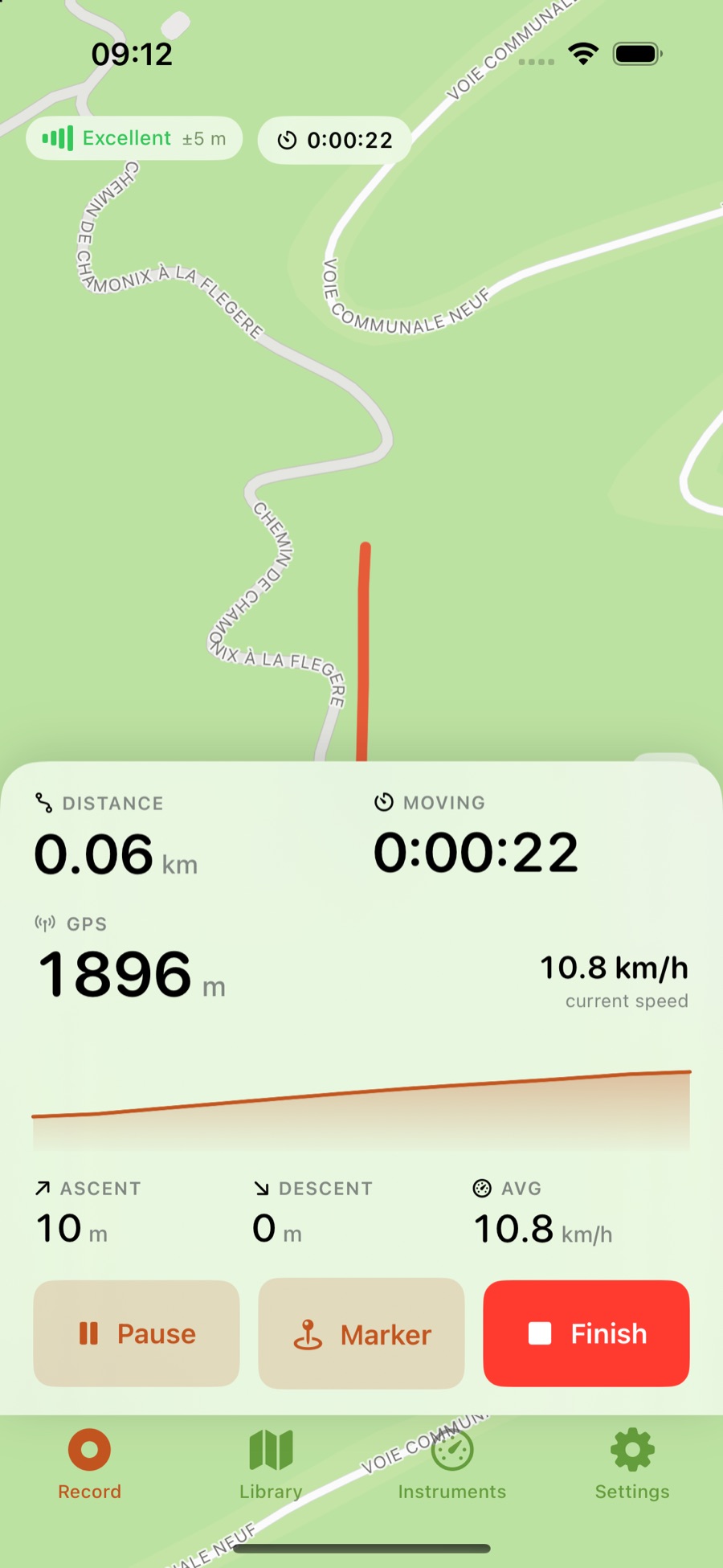
- Four activities — hiking, trail running, cycling, walking — each with its own pace and calorie model
- Live distance, moving time, speed, altitude and elevation gain as you move
- Auto-pause when you stop moving, and resume when you set off again
- Keeps recording with the screen off or the app in the background
- If the app is closed mid-hike, the unfinished recording is offered back on the next launch
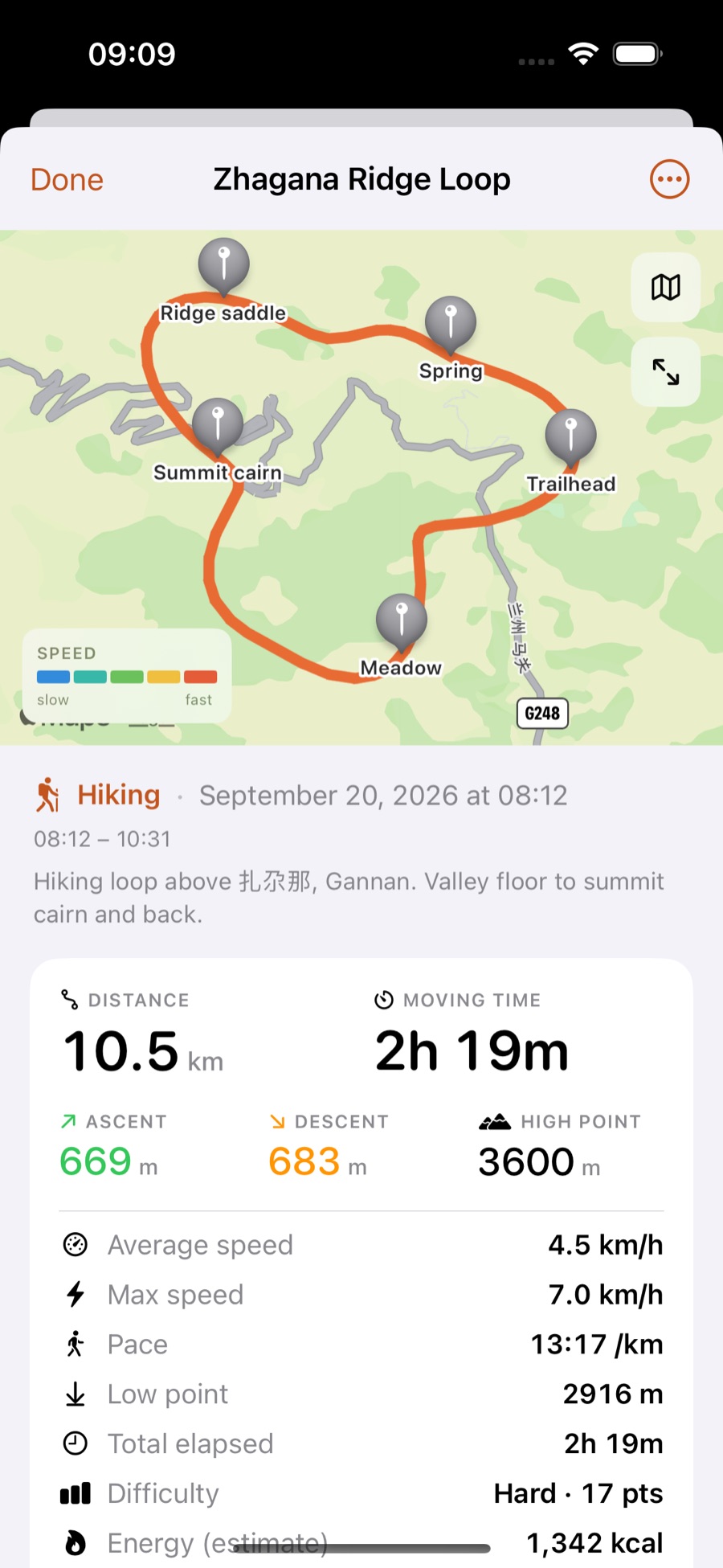
- Pace, average grade and an energy estimate on every saved track
Altitude that holds still
The barometer is fused with GPS, so a 100 m climb reads as 100 m instead of drifting with the fixes. Gain and loss use a 3 m threshold, so GPS wander cannot invent a climb that was not there. Each session also keeps a high and low for the day.
- The barometer is fused with GPS, so a 100 m climb reads as 100 m instead of drifting with the fixes
- Gain and loss use a 3 m threshold, so GPS wander cannot invent a climb
- Session high and low for the day
Finding your way
Follow a saved route, with an off-route warning and a bearing back to the line. Drop markers as you go and get a tap when you pass one. The compass resolves true north, then magnetic north, then course over ground — and always tells you which one you are looking at.
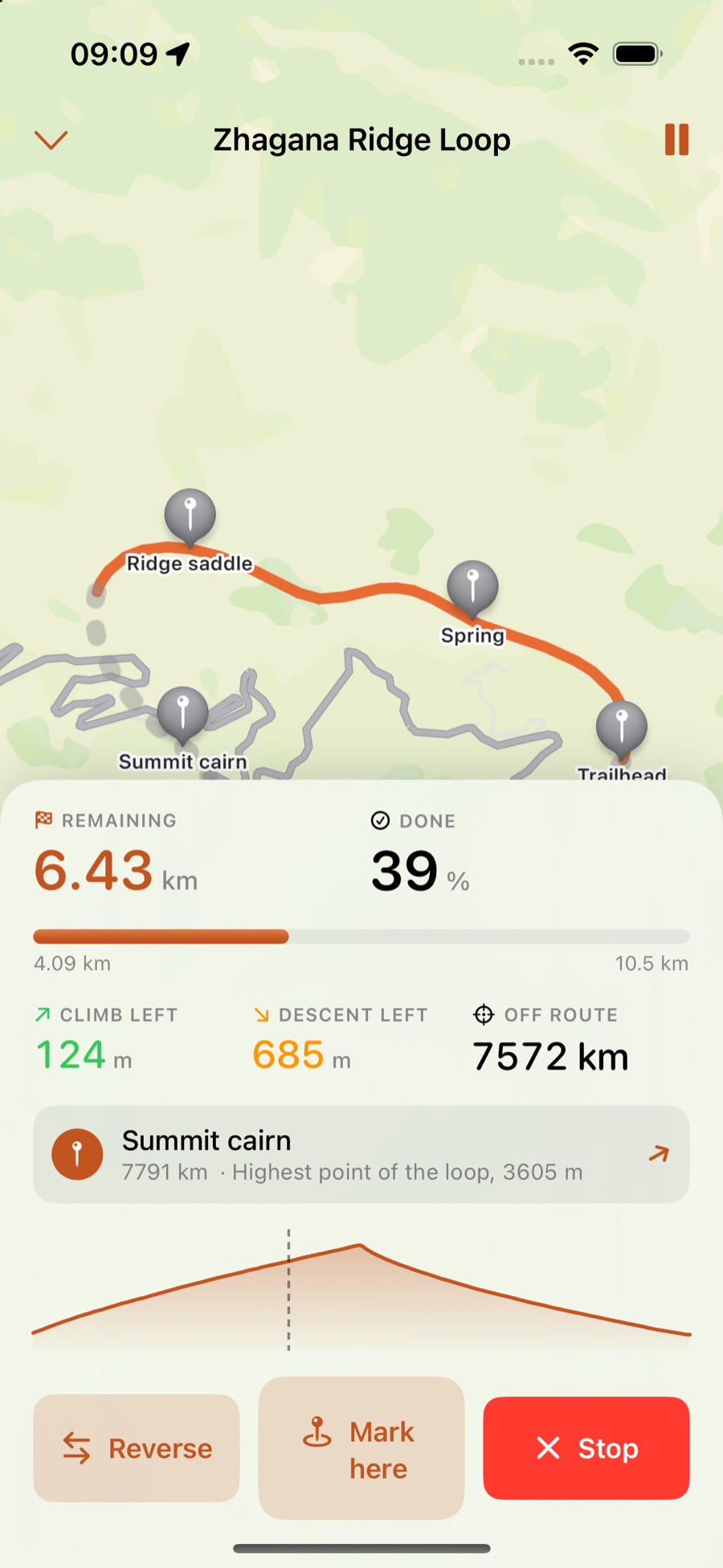
- Follow a saved route, with an off-route warning and a bearing back to the line
- Drop markers as you go, and get a tap when you pass one
- A compass that resolves true north, then magnetic north, then course over ground — and always tells you which one you are looking at
Keeping your tracks
My Tracks and Imported are kept apart. Import GPX, KML and KMZ from another app, a share sheet, or Open With; export GPX anywhere. A finished track can be shared as a clean image, in post or story size.
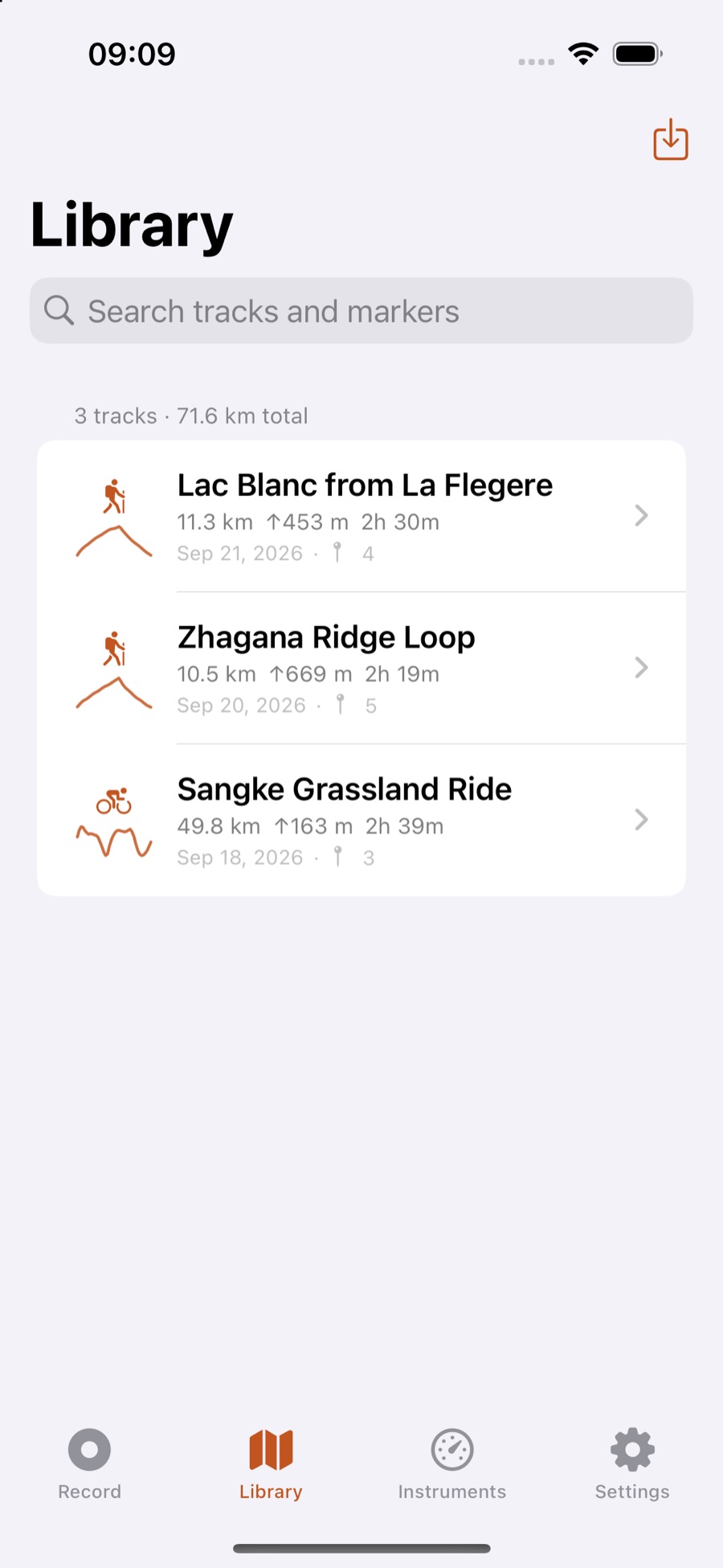
- My Tracks and Imported, kept apart
- Import GPX, KML and KMZ — from another app, a share sheet, or Open With
- Export GPX anywhere
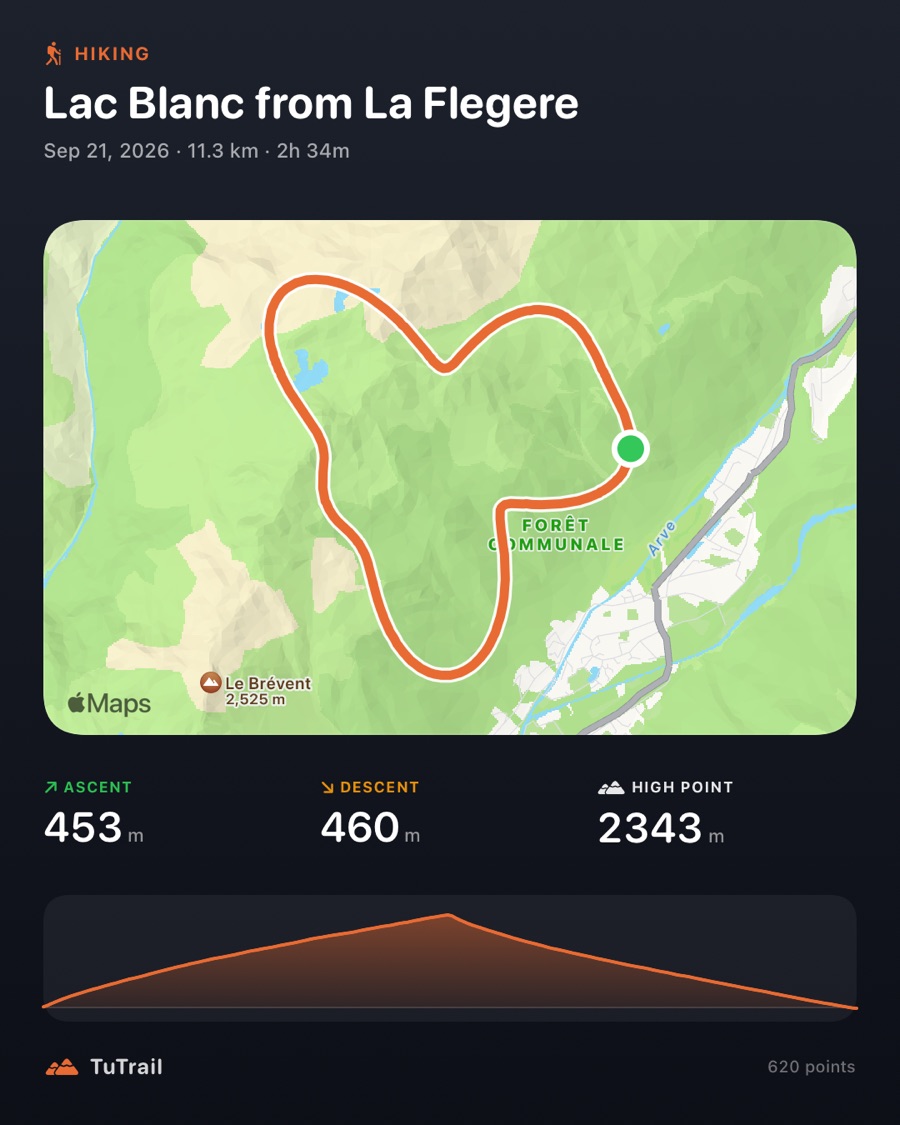
- Share a finished track as a clean image, in post or story size
Built for a full day out
A battery-saver accuracy mode is there for multi-day trips. The screen is allowed to sleep while recording, because a lit screen is the largest single draw on a long walk. Units are metric or imperial, and the interface is English or Simplified Chinese.
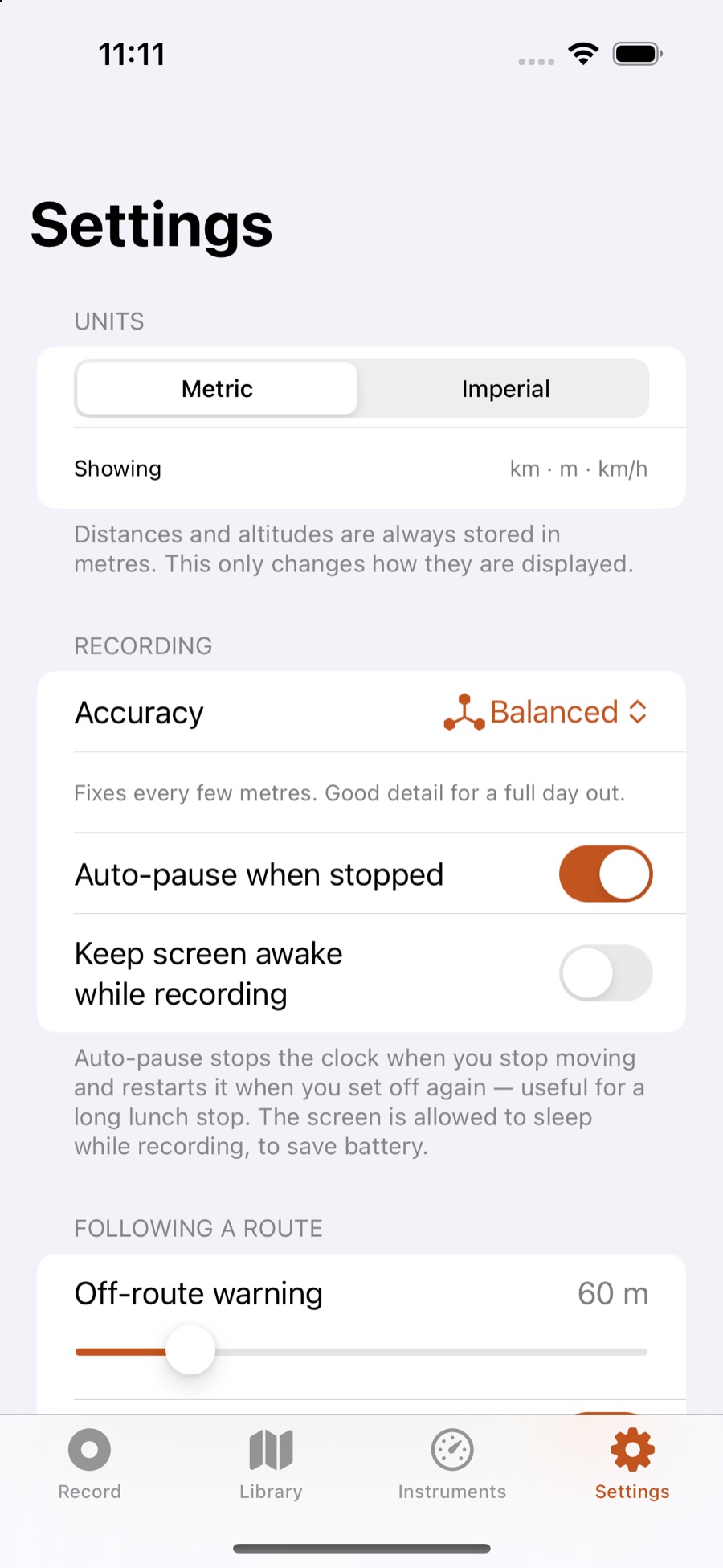
- A battery-saver accuracy mode for multi-day trips
- The screen is allowed to sleep while recording, because a lit screen is the largest single draw on a long walk
- Metric or imperial, English or Simplified Chinese
Measured, not guessed
Distance is summed from raw fixes, elevation is barometer-led, and moving time is the time you were actually moving. Where the app cannot know something, it says so instead of filling the gap.
TuTrail needs location access to record a track, and motion access for the barometer. There is nothing to sign up for.
Coming soon to the App Store
TuTrail is not yet available on the App Store. Check back here for the download link.
Maps © Apple. GPX, KML and KMZ are open file formats. iPhone is a trademark of Apple Inc.