CodeInsight is out now. It opens tar, tar.gz and zip archives without unpacking them, indexes every function and struct with ctags, and lets you jump through millions of lines of C — offline, on the device in your hand. The pitch is simple: a kernel source tree should read like it does in an editor, not like a folder of text files.
Open the archive. Don’t unpack it.
Point CodeInsight at a kernel tarball and start reading immediately. The app records file offsets once, then seeks straight to any file inside — so a 24 MB source tree becomes browsable in seconds, without a second expanded copy eating your storage.
tar,tar.gzandzip, handled natively- Size and index status for every archive, at a glance
- Indexing runs in the background and survives interruptions
- Decompress on demand — with progress, cancel and resume
Move by symbol, not by scroll
Every archive gets a ctags index: functions, structs, members, typedefs and macros. Open the tag list for the file you are reading and jump straight to a definition, or follow the class inheritance graph to see how the pieces fit together.
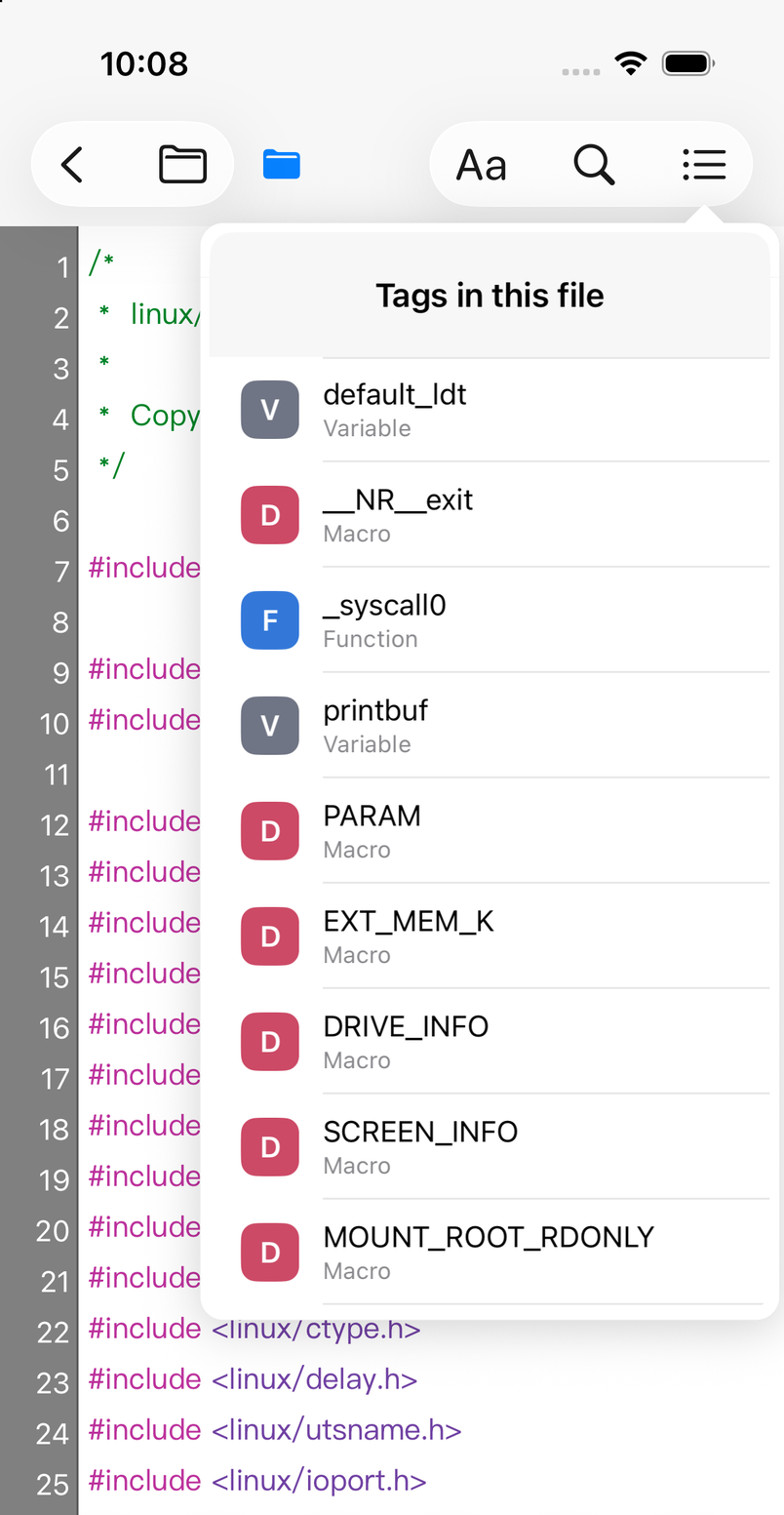
- Tag list for the current file, grouped by kind
- Jump to a symbol, with optional animated scrolling
- Search by keyword, symbol or line number
- Class inheritance graph you can export as an image
Built for long reading sessions
Everything you would expect from a desktop code viewer, sized for a touch screen.
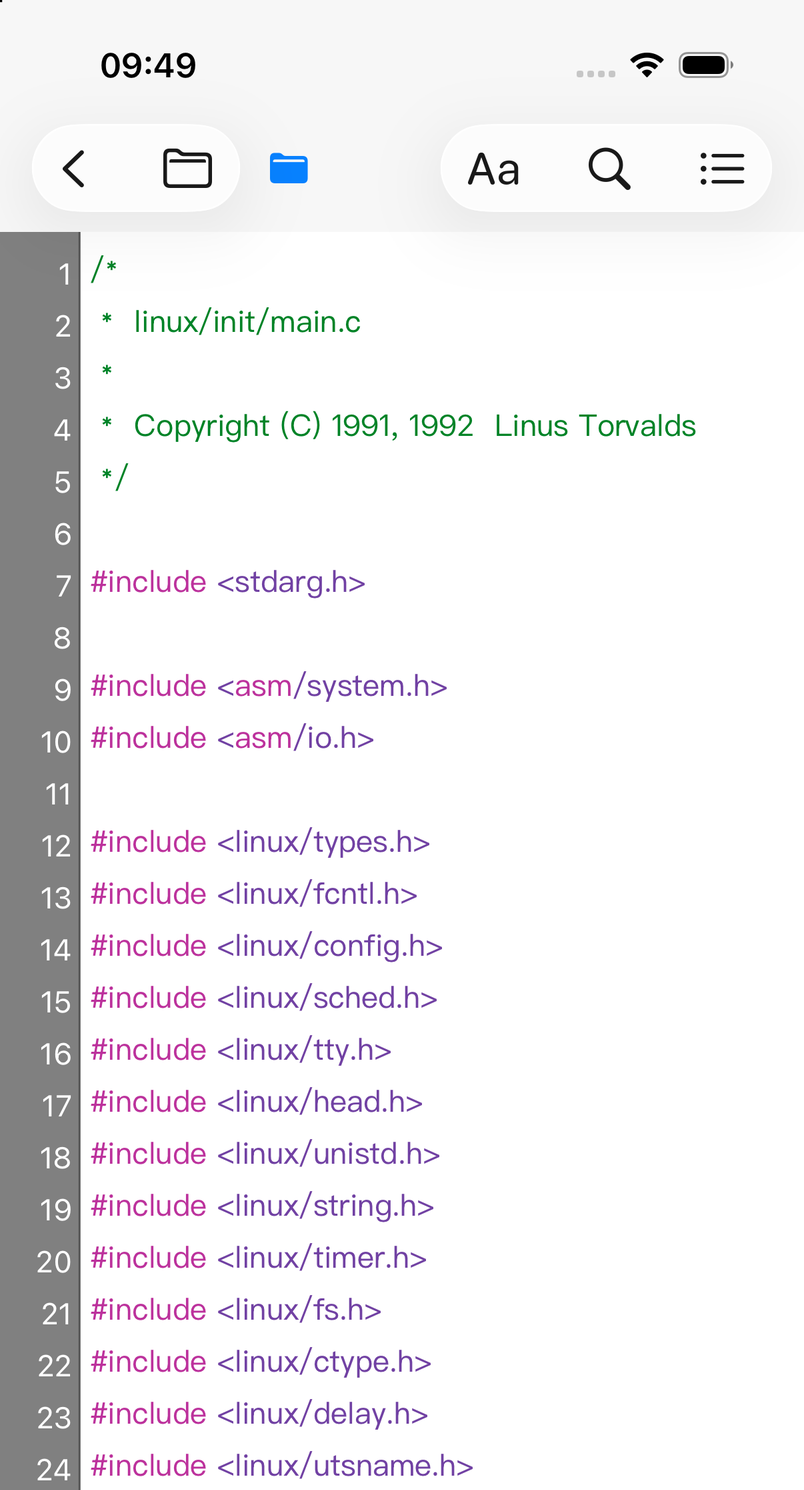
- Search that understands code — look for text, a symbol, a reference or a line number; results keep the surrounding context.
- Themeable syntax colours — pick a scheme that suits your eyes, and change type size without leaving the file.
- Open-file tabs — keep several files of the same archive open and hop between them while tracing a call path.
- Line numbers, on demand — line numbers, wrapping and font size are one tap away and remembered per session.
- Dark mode — full support for light and dark appearance, including the code theme and every popover.
- Storage you can see — main database, index databases and archive sizes broken down in Settings, so nothing grows unnoticed.
Keep up with the repos that matter
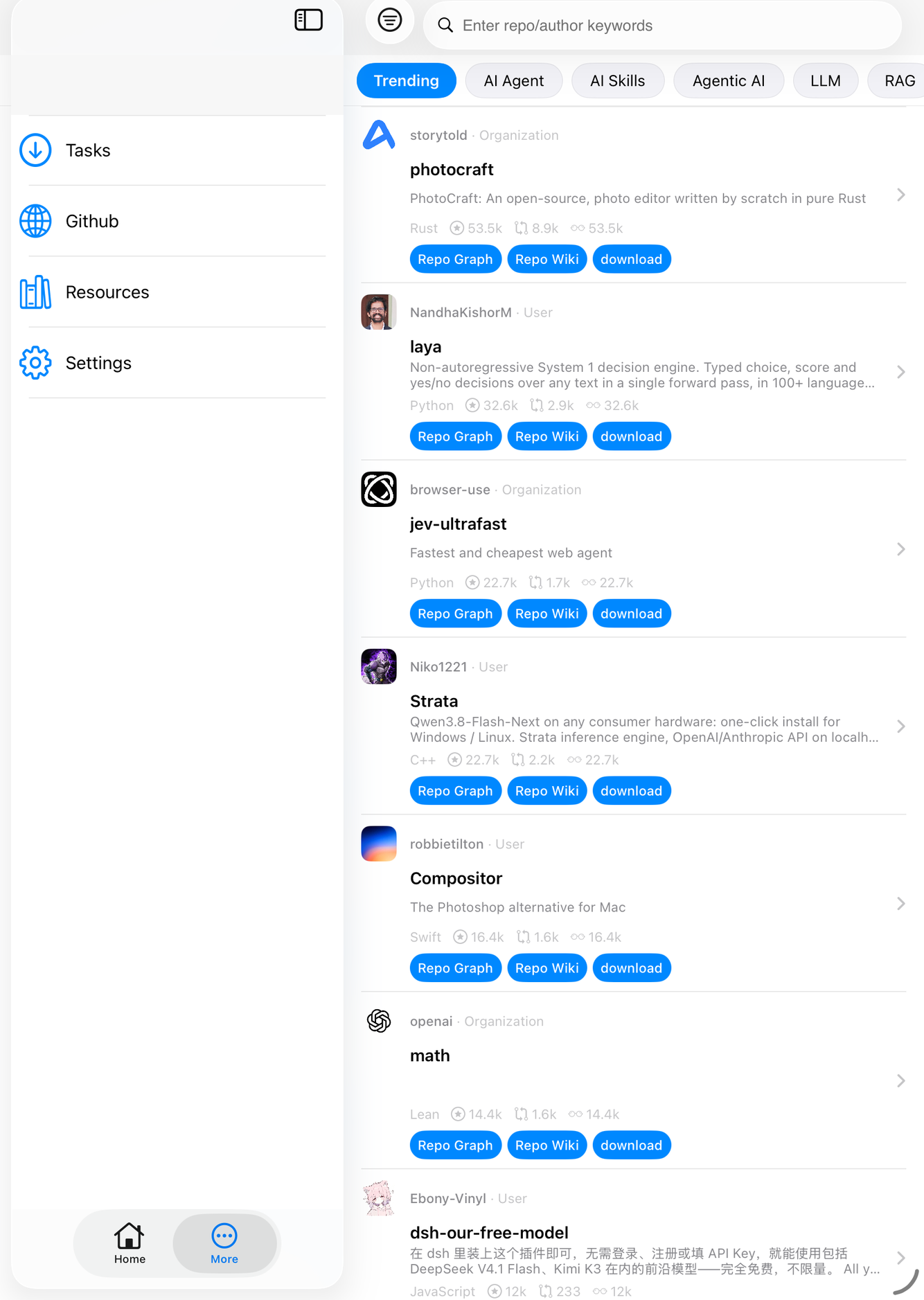
A built-in GitHub browser with eight curated feeds — Trending, AI Agent, AI Skills, Agentic AI, LLM, RAG, MCP and Top Stars. Open a repository’s page, peek at its graph, or send the source straight into the app to read offline.
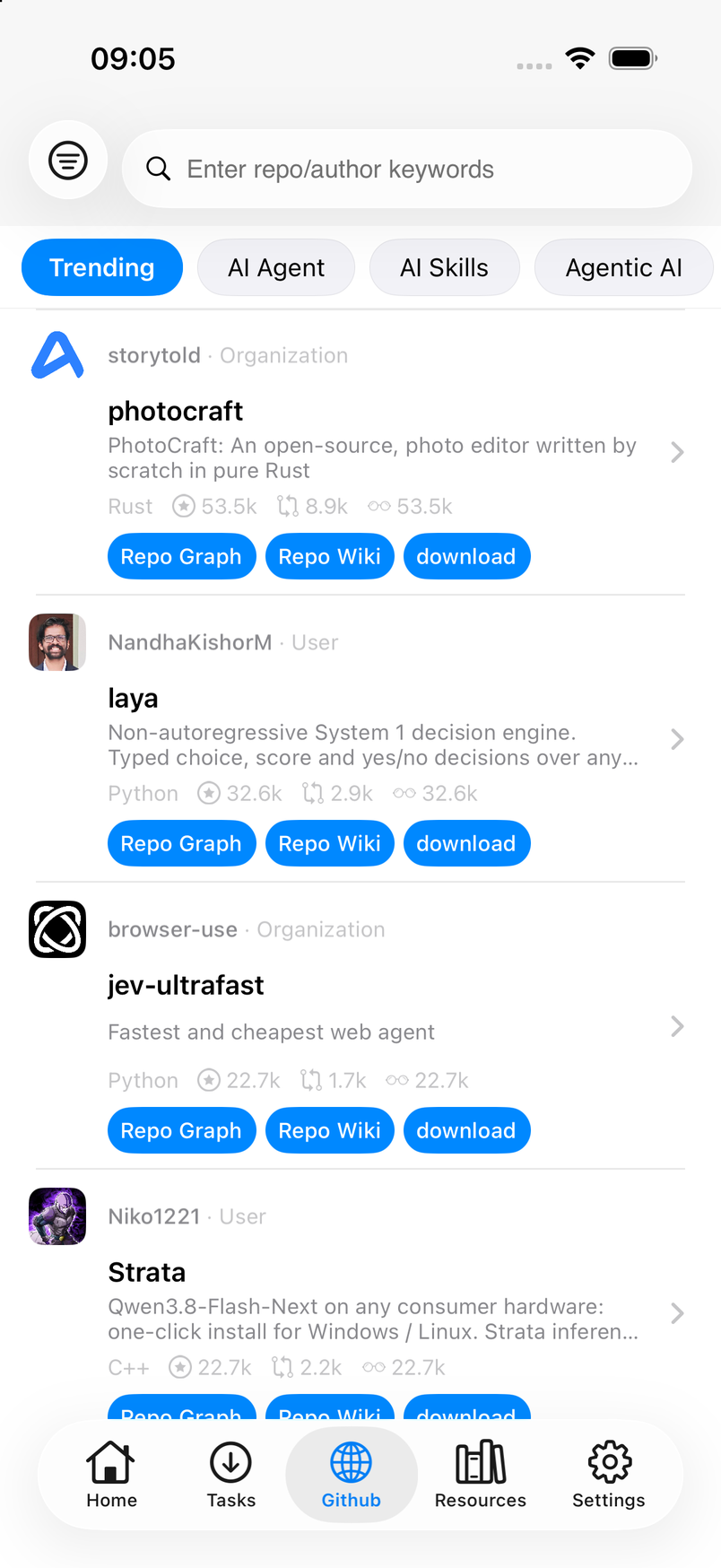
- Trending for what is hot right now, Top Stars for the classics
- AI-focused feeds: agents, skills, MCP, RAG, LLM
- Search by repo or author
- Download a repository and index it like any archive
Sources worth reading, already listed
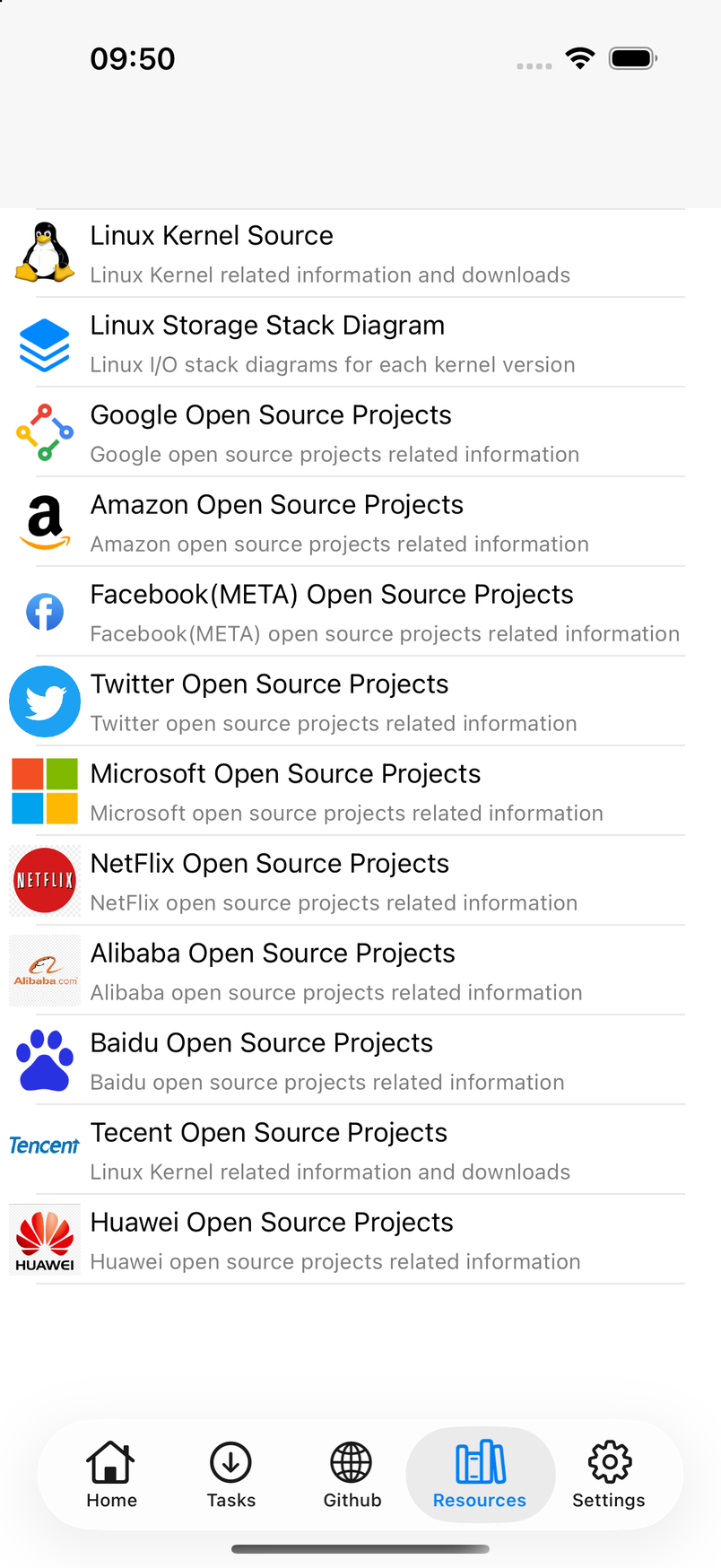
The Resources tab collects the places this app was built for: kernel sources, storage-stack diagrams and the open-source portals of the major vendors. Diagrams open in a zoomable viewer, or as the original PDF.
Made for the iPad
A real split view: the library and the code side by side, with the source tree staying put while you read.
Set it up once
Indexing behaviour, popover dismissal, class-graph display, jump animation, line numbers and code theme all live in one place. Indexing can skip driver folders to keep kernel archives lean.
- Auto-resume background indexing
- Skip driver folders when indexing the kernel
- Choose whether results keep the popover open
- Restore every setting to its default
Try it free. Unlock it once.
No subscription, no account, no ads. Restore your purchase on any device with the same Apple Account, and read offline — only GitHub and the resource browser need a connection.
Linux is a registered trademark of Linus Torvalds. Linux storage stack diagrams by Werner Fischer, Thomas-Krenn.AG, licensed under CC BY-SA 3.0 or 4.0. Apple, iPhone and iPad are trademarks of Apple Inc.