RFC Reader is out now. It is a reader for the entire IETF document series — every RFC from 0001 to the newest publication, in three formats, cached on your device so you can keep reading on a plane, in a basement meeting room, or anywhere else the network gives up.
Most of us meet an RFC as a browser tab: a 200-page text file, no table of contents, horizontal scrolling on a phone, and a search box that belongs to the browser rather than to the document. RFC Reader is built the other way round. Every screen exists for one thing — getting you through a long technical document without losing your place.
The whole series, built in
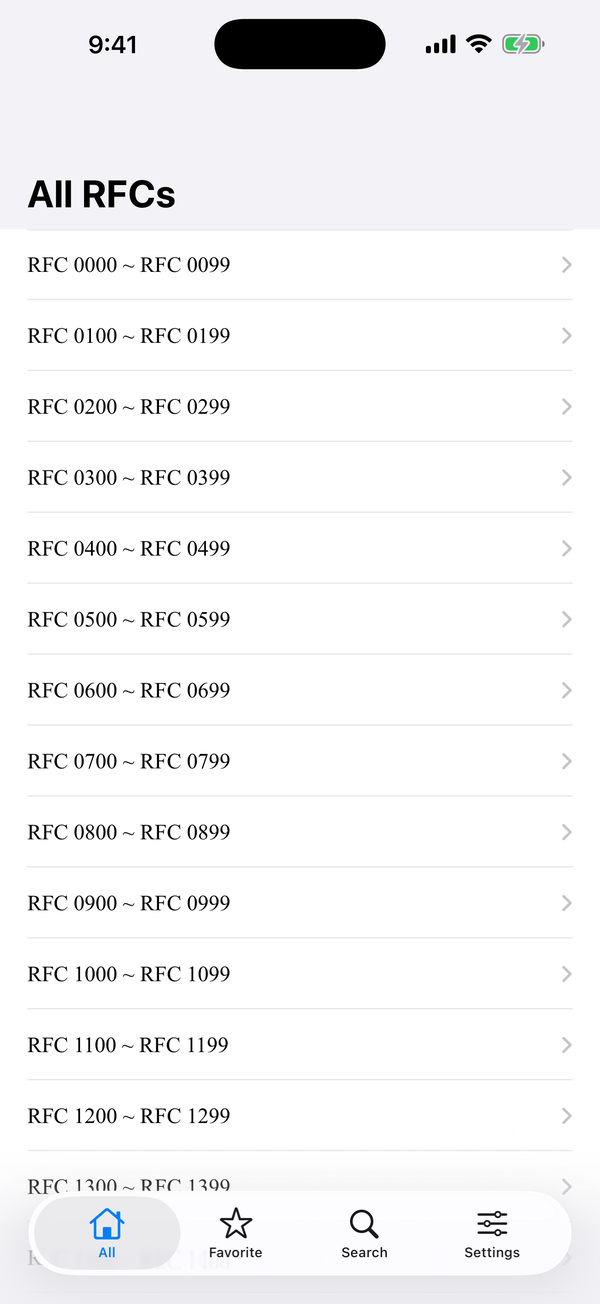
From RFC 0001 to the latest publication, the entire index ships with the app. Documents are grouped in ranges of a hundred, so you can browse by number or jump straight to the one you need. Each entry carries its authors, publication date, status and obsolescence — the metadata you normally have to leave the document to look up.
The same document, three ways
Every RFC is published in more than one format, and each is good at something different. RFC Reader lets you choose per document, every time you open it, instead of picking one for you.
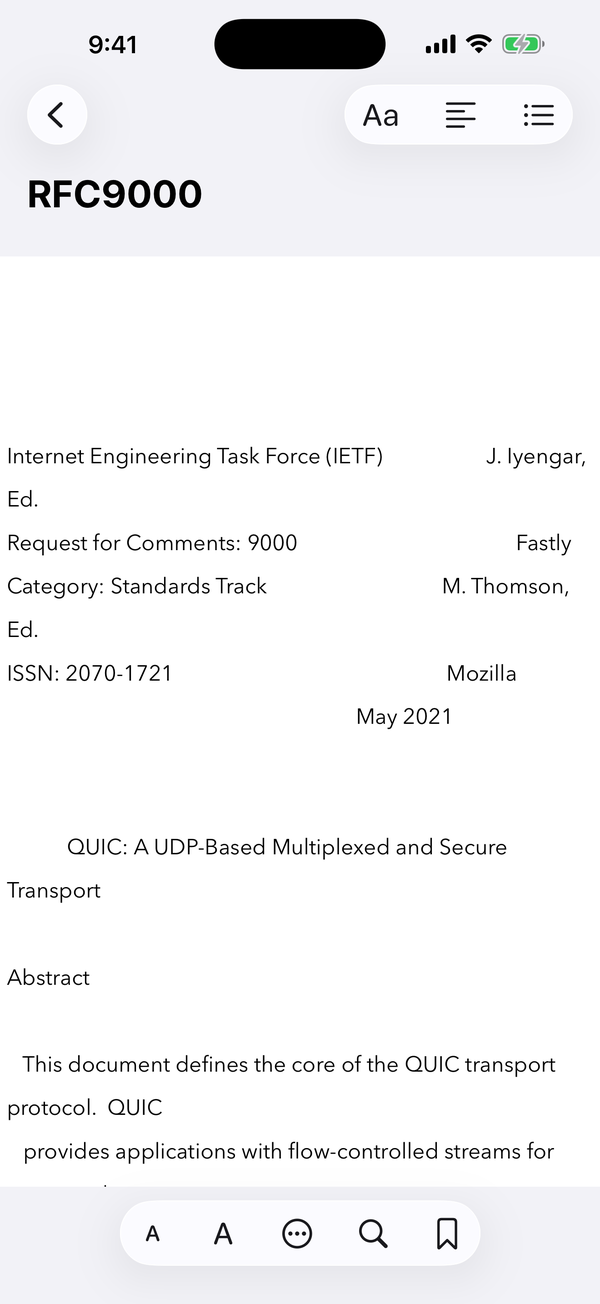
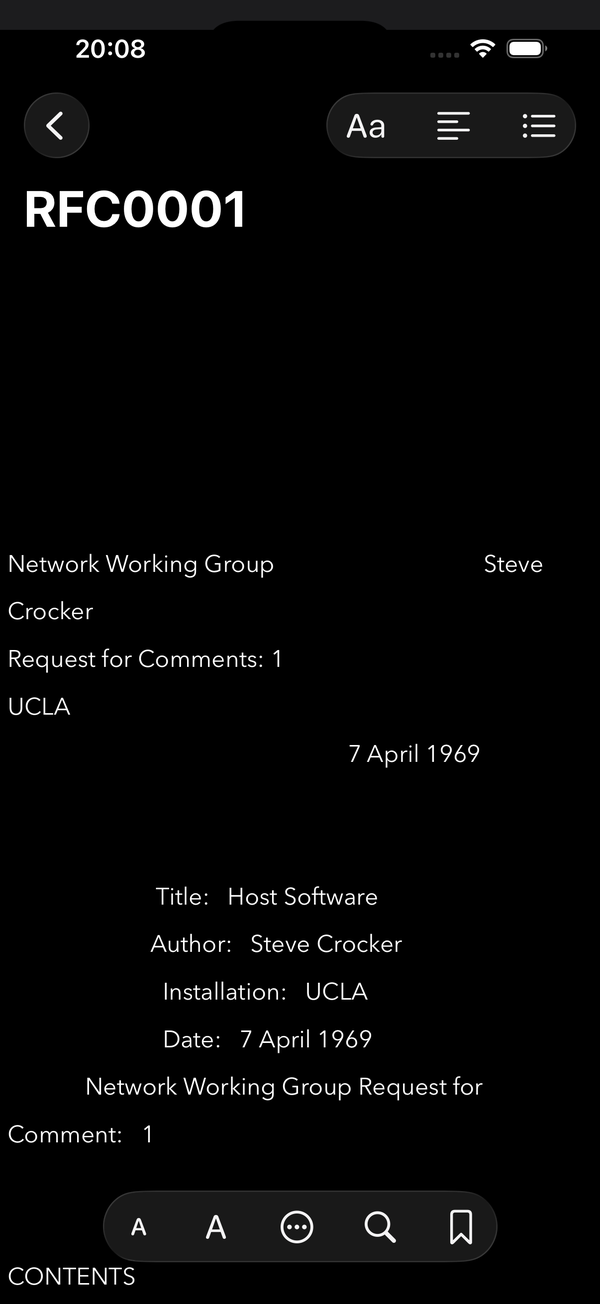
- Text — the canonical plain-text rendering, reflowed to fit your screen and your font size. No horizontal scrolling, no zooming. Opens instantly and takes almost nothing on disk.
- PDF — the IETF’s own PDF with its original pagination: the version to cite, print or compare against a printed copy. Page thumbnails, and search inside the document.
- HTML — real headings, working links to errata and related documents, and a contents list that moves you around a long document in seconds.
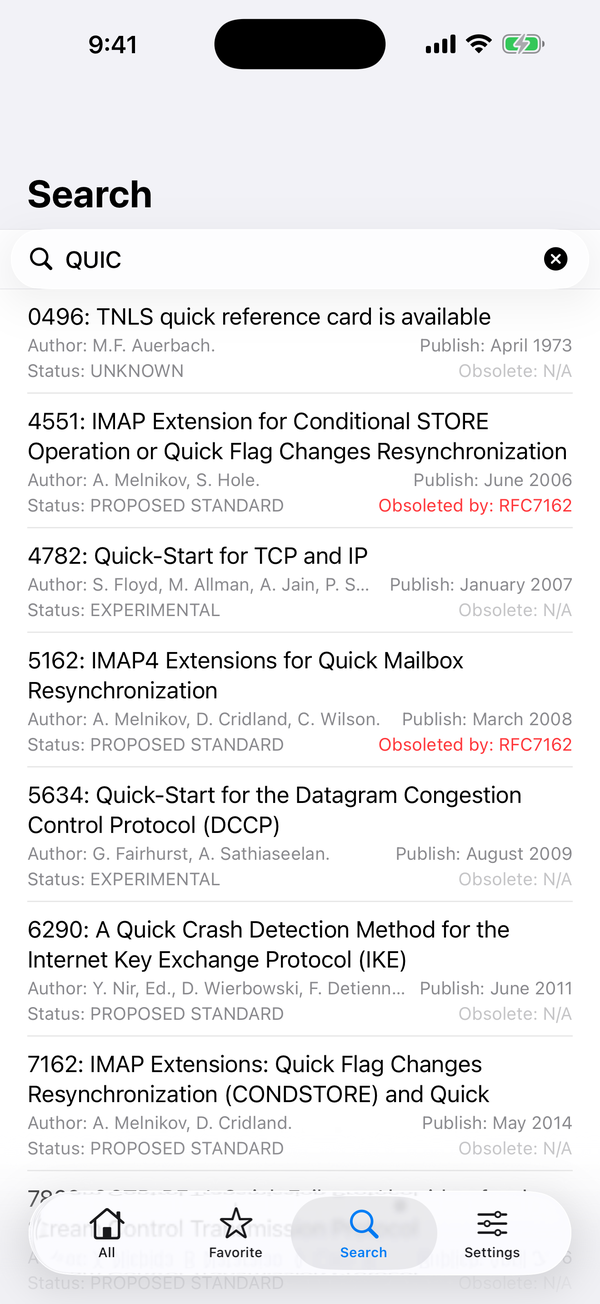
One field for ten thousand documents
Search by keyword or by number, and see status, authors and obsolescence on every result before you open it. When you are looking for one specific memo in a series of ten thousand, that difference matters.
A shelf of your own
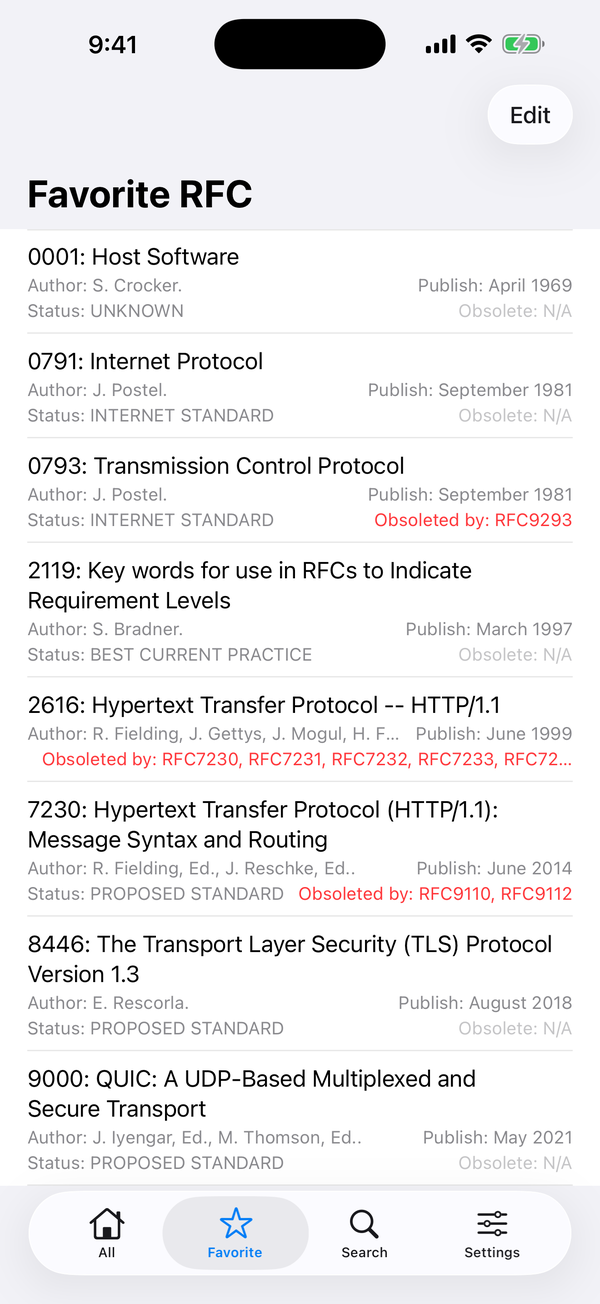
Keep the RFCs you come back to in Favourites. Each one lists its status and any superseding documents underneath, so you notice when something you rely on has been obsoleted — instead of finding out in production.
Comfortable type, day or night
Pick the font family and size you actually like reading in, then let the app follow your system appearance. Dark mode here is not an inverted filter: the page, the chrome and the PDF all dim together, including the PDF page that would otherwise glare at you across a dark room.
On iPad
The tab bar becomes a sidebar and the document gets the width the screen actually has. HTML and PDF run full width; text mode keeps a comfortable measure. Landscape and portrait are both laid out on purpose.
The things people ask
Do I need to be online?
Only the first time you open a document. It is downloaded from the RFC Editor and cached on your device, then opens offline from then on. Settings shows how much space the cache is using and clears it on request.
Where do the documents come from?
Directly from the RFC Editor at rfc-editor.org, the publisher of the series. RFC Reader is a reader — it does not edit, summarise or reinterpret the text.
Does it collect anything about me?
No. There is no account to create, no analytics SDK and no advertising. Your favourites and reading settings stay on your device.
Which devices does it run on?
iPhone and iPad, on iOS 17 or later. The interface is available in English and Simplified Chinese.
Start reading
Ten thousand documents, one app, no browser tabs.
RFCs are published by the RFC Editor (rfc-editor.org). RFC Reader is an independent reader and is not affiliated with the IETF.